BIOS flash utility for ASUS motherboards
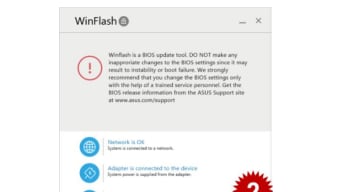
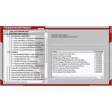
ASUS WinFlash is a free utility made by ASUS for PCs. It is a flash tool used to check for updates, as well as perform BIOS updates on ASUS-branded motherboards. This program is compatible and can be used on both desktop and laptop computers.
Similar to how the Gigabyte App Center allows users of Gigabyte motherboards to update their BIOS, so too does ASUS WinFlash offer the same for owners of ASUS-branded boards. It ensures that they have the latest stable version for the best hardware compatibility and new improvements or features.
How does ASUS WinFlash work?
BIOS (Basic Input/Output System) is a firmware used for hardware initialization. It tests your system components, as well as running the boot loader in charge of preparing your operating system for use. It ensures that peripherals like your mouse, keyboard, storage, or display are all in working order. The same goes for your CPU, RAM, GPU, and all other internal parts that make up your computer.
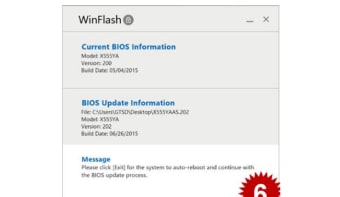
BIOS implementations are manufacturer-dependent, and in the case of ASUS-branded ones, it's the ASUS WinFlash utility. There are two ways to update your BIOS. First is by getting the file from the official servers of the company. The second is by using one that is saved on your PC or flash drive. Compare your version to the latest one, and if yours is outdated, then proceed with the flashing process.
The utility will do the rest for you, and you just have to wait for it to finish updating. Before you use the ASUS WinFlash utility, just be aware that it is a program that was specifically made to use with ASUS-made motherboards only. It will not work with boards that were made by other manufacturers.
A companion tool for ASUS motherboards
If you own an ASUS-branded laptop or you specifically use one of the company's aftermarket motherboards for your PC build, then the ASUS WinFlash utility is a must-have. You can easily manage and update your BIOS version so that it's always the latest one, with all the improvements and new features added.